Toyota Motor Company · Case Study

Tap. Hitch. Go!

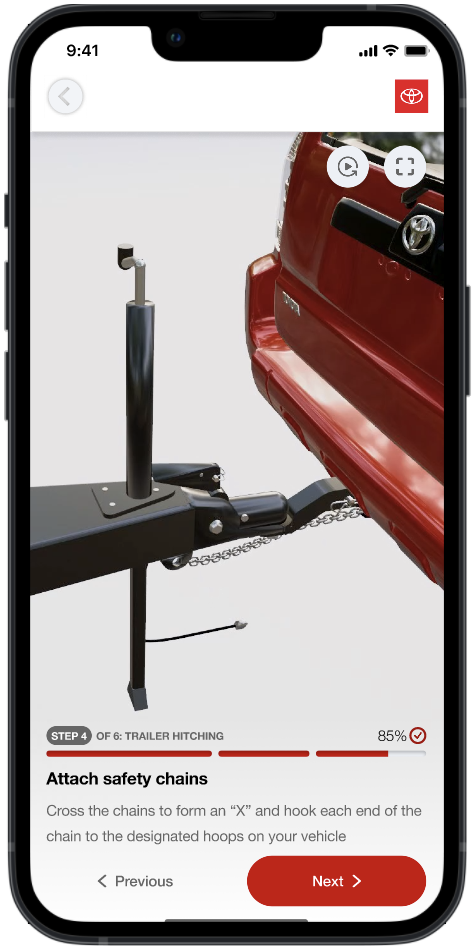
When drivers told us hitching felt stressful, risky, and unclear — we listened. This tutorial-based application for Toyota was built to guide users through every step of the trailer hitching process with clarity and confidence. From interactive checklists and part sizing tools to glossary tooltips and visual depth indicators, every screen was designed to meet users where they are — whether in the driver's seat or standing beside their trailer.

Role
UX Designer & Researcher
Duration
7 Months
Team
4 Members
Tools
Figma, Blender, FigJam

Watch the Prototype

Click to spotlight

1
Discovery
2
Design
3
Testing
4
Final Solution
5
Pitfalls
6
Outcomes

Click a phase to jump to that section

01 — Understanding the Problem

Discovery

User Problem Statement

"How can a trailer hitching application be designed to simplify the process for drivers, addressing frustrations and challenges while providing clear guidance?"

Business Problem Statement

"How can Toyota leverage the development of a trailer hitching application to enhance brand reputation, meet the demand for innovative automotive solutions, and improve customer satisfaction and competitiveness in the automotive market?"

The Challenge

Trailer hitching is often stressful and error-prone — especially for beginner drivers. Many users struggle with aligning the hitch, understanding safety protocols, or selecting the correct equipment size. Even experienced users expressed frustration with unclear feedback and inconsistent camera guidance.

Toyota challenged us to design a step-by-step trailer hitching experience, creating both infotainment screens and a mobile app interface that would guide users through the process with clarity, enhance safety, and build confidence for drivers of all experience levels.

Project Objectives

Integrate into Toyota App & Cars

Seamless experience across mobile companion app and in-vehicle infotainment systems.

Implement Car Spatial Technology

Leverage camera feeds and spatial awareness for real-time alignment guidance.

Step-by-Step Guidance System

Progressive walkthrough so users never feel lost during the hitching process.

Follow Global Safety Compliances

Adhere to established safety standards for towing, weight, and equipment protocols.

UX Requirements

Check Weight Distribution

Ensure proper tongue weight and trailer load balance before departure.

Flexible to Differing Hardware

Adapt to various hitch types, ball sizes, and coupler configurations.

Remind Forgotten Steps

Smart alerts for commonly missed safety steps like pin locks and chain connections.

Ensure Snug Hardware Fit

Visual confirmation and sizing tools to verify components are properly secured.

Competitive Analysis

In consultation with Toyota stakeholders — engineering, design, and marketing teams — we gathered 6 key features from our competitive research and analysis:

01

Ease of Installation

How easily can users install the system? (Ex. instruction manual, guidance system, user-friendly interface)

02

Weight Capabilities

What is the maximum weight the vehicle can tow?

03

Safety Features

What features ensure user safety while hitching a trailer?

04

Camera Features

Are there particular camera features? (Ex. 360 view, multi-angle, etc.)

05

Model Compatibility

Is the system compatible with various vehicle models and/or accessories?

06

Unique Features

Any unique technological features that make the system stand out?

Feature Toyota (Ours) U-Haul Curt Mfg. WeighSafe

Click a row to see the takeaway

User Interviews

The competitive landscape highlighted opportunities, but I needed to validate these gaps with actual users. Through professional driver interviews, beginner driver sessions, and U-Haul field observations, I uncovered insights & pain points that shaped the direction of the solution.

Pro Driver Interviews

Goal

Learn from experienced hitchers about their workflow, shortcuts, and safety practices.

Approach

One-on-one interviews, plus an image-association exercise where pros explained hitching steps from screenshots/videos.

I then synthesized interview notes into affinity diagrams & venn diagrams, where responses were grouped into categories & subcategories (e.g., safety, logistics, terminology). This helped the team identify key themes that directly shaped design decisions.

UX Research Affinity Map

Key Insights

  • Safety is non-negotiable: chains crossed, correct height, compliance checks completed.
  • Common challenges: poor lighting, mismatched equipment, weight calculation.
  • Pros emphasize efficiency but still highlight safety redundancies.
Impact on Design

Led to inclusion of safety checks and a pre-hitch questionnaire in the app flow.

Beginner Driver Interviews

Goal

Understand perceptions, difficulties, and mental models of first-time hitchers.

Approach

"Think Aloud" interviews & showed tutorials of hitching steps. Then participants recalled and ranked difficulty.

Key Insights

  • High confusion around terminology and specific hardware parts.
  • Steps perceived as most difficult: weight matching, chain setup, alignment.
  • Users benefit from visual & text guidance, not text-only.
Impact on Design

Led to an informed tutorial video style (TikTok-like captions), progress indicators, and replay button for instructions.

Beginner Driver UX Research

U-Haul Observations

Goal

See how trained employees guide customers through the hitching process in real-world conditions.

Approach

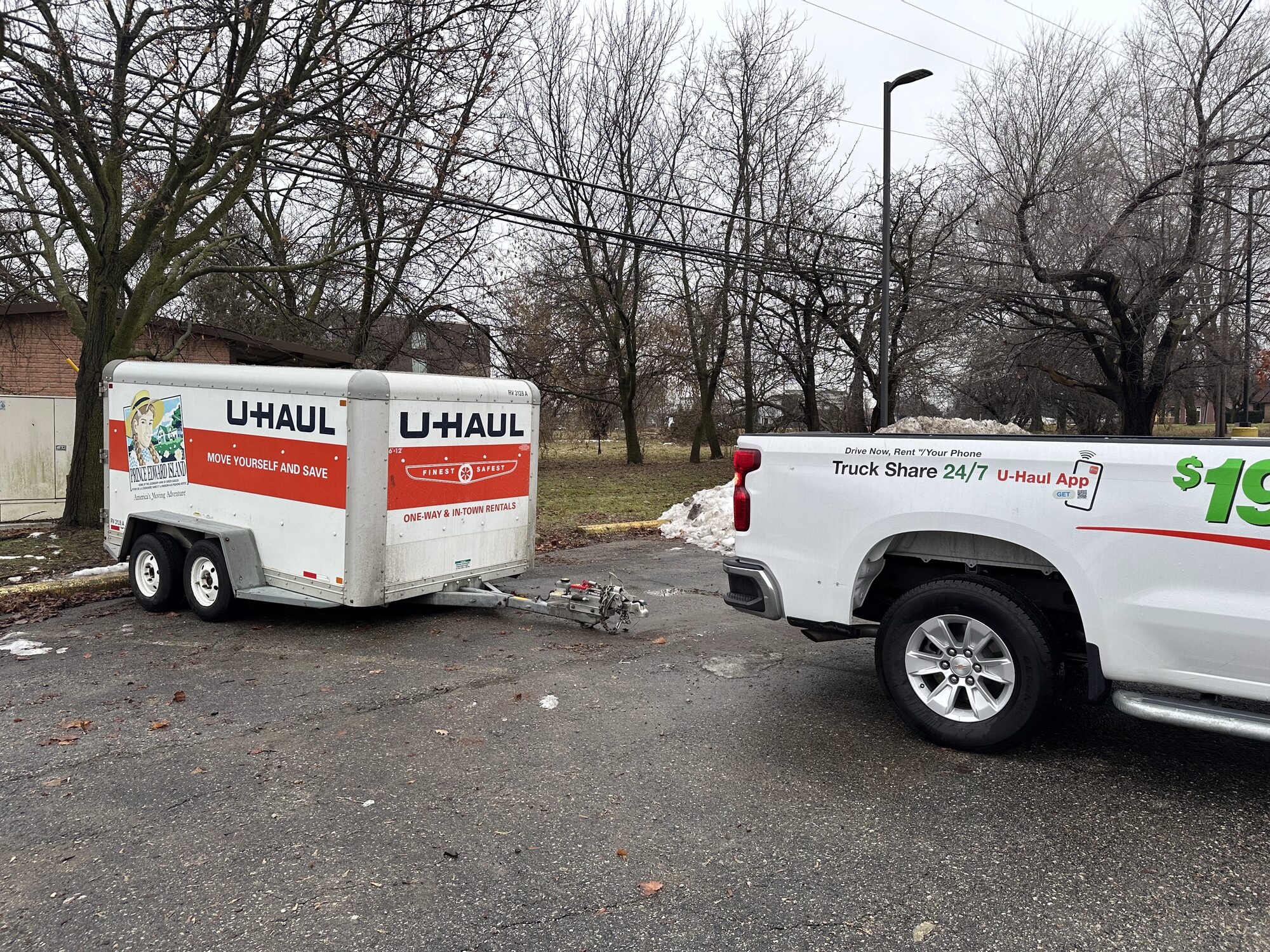
Shadowed employees at U-Haul locations during live hitching processes.

U-Haul field observation

Key Insights

  • Employees perform most tasks for customers, emphasizing safety compliance and equipment matching.
  • Customers often confused by hardware differences and weight restrictions.
  • Employees provide reassurance by explaining what could go wrong if safety steps are skipped.
Impact on Design

Reinforced need for unskippable safety check screens and clear terminology in the app.

User Personas

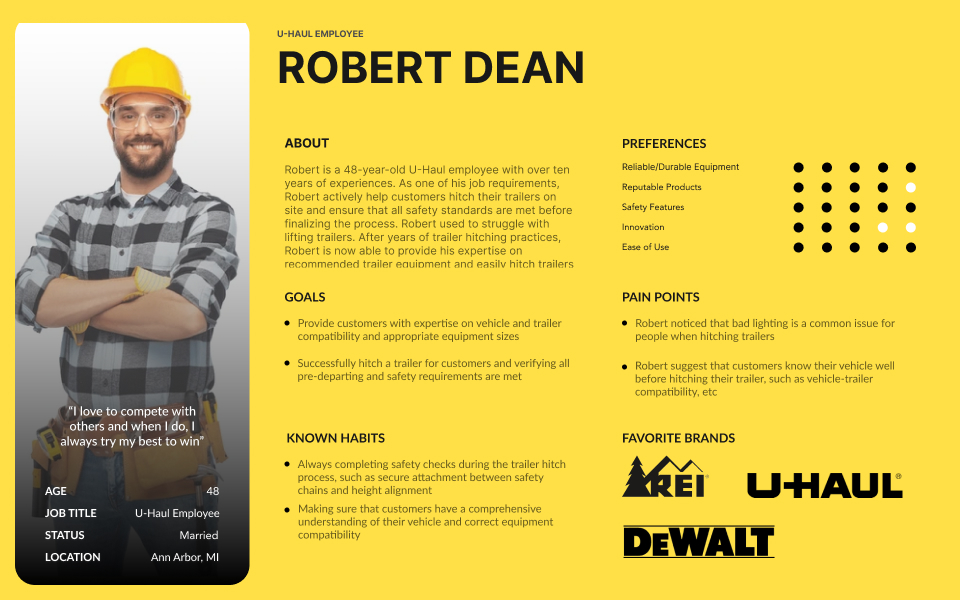
Each interview told a different story — but when we stepped back, we noticed recurring themes. To bring these user groups to life and keep their needs front and center, we developed personas for each interviewee type.
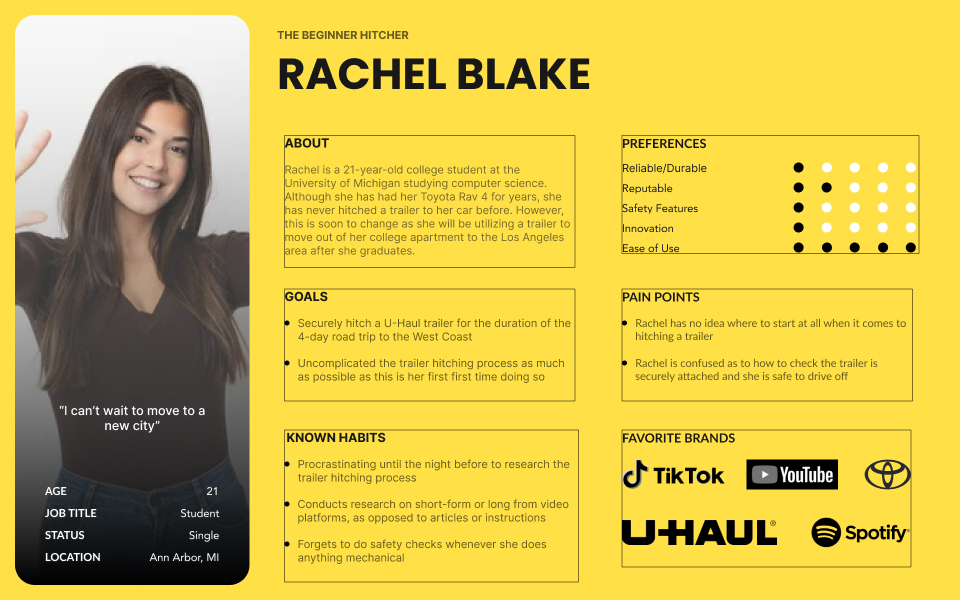
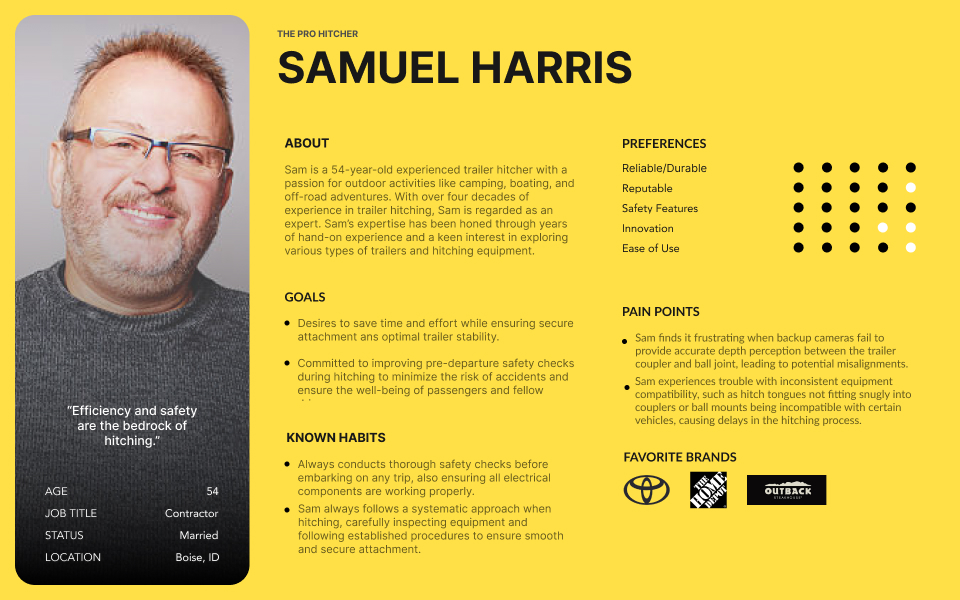
User Persona 1 User Persona 2 User Persona 3

Journey Maps

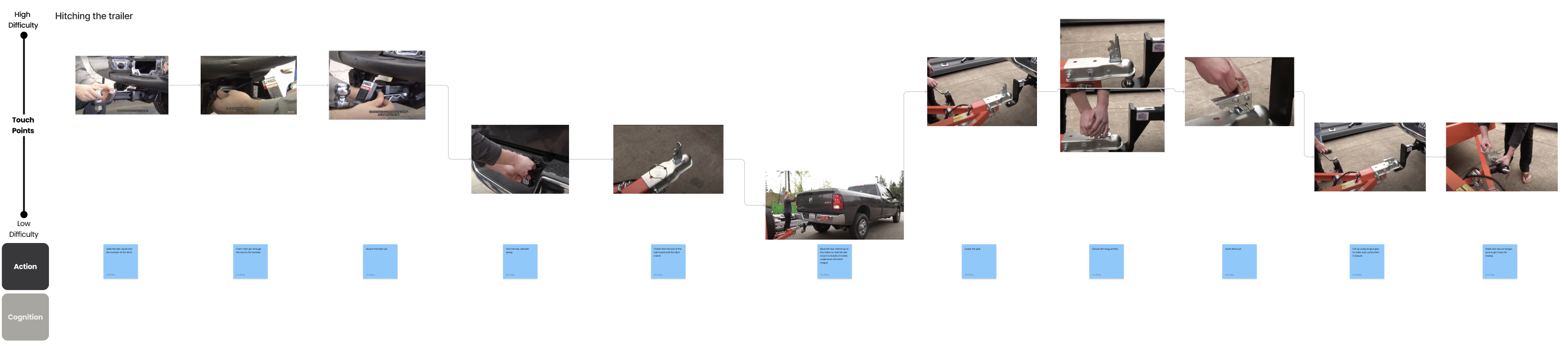
Next, we visualized the user experience from start to finish, using the personas as a guide to create 3 journey maps: Booking a Trailer, Installing Hitch Package, & Hitching the Trailer. Crucially, users ranked the difficulty of each step — and those rankings directly shaped which parts of the hitching process we chose to focus on in the app. The hardest-rated steps became our design priorities.

Click to zoom in on the full journey map details.
User Journey Maps

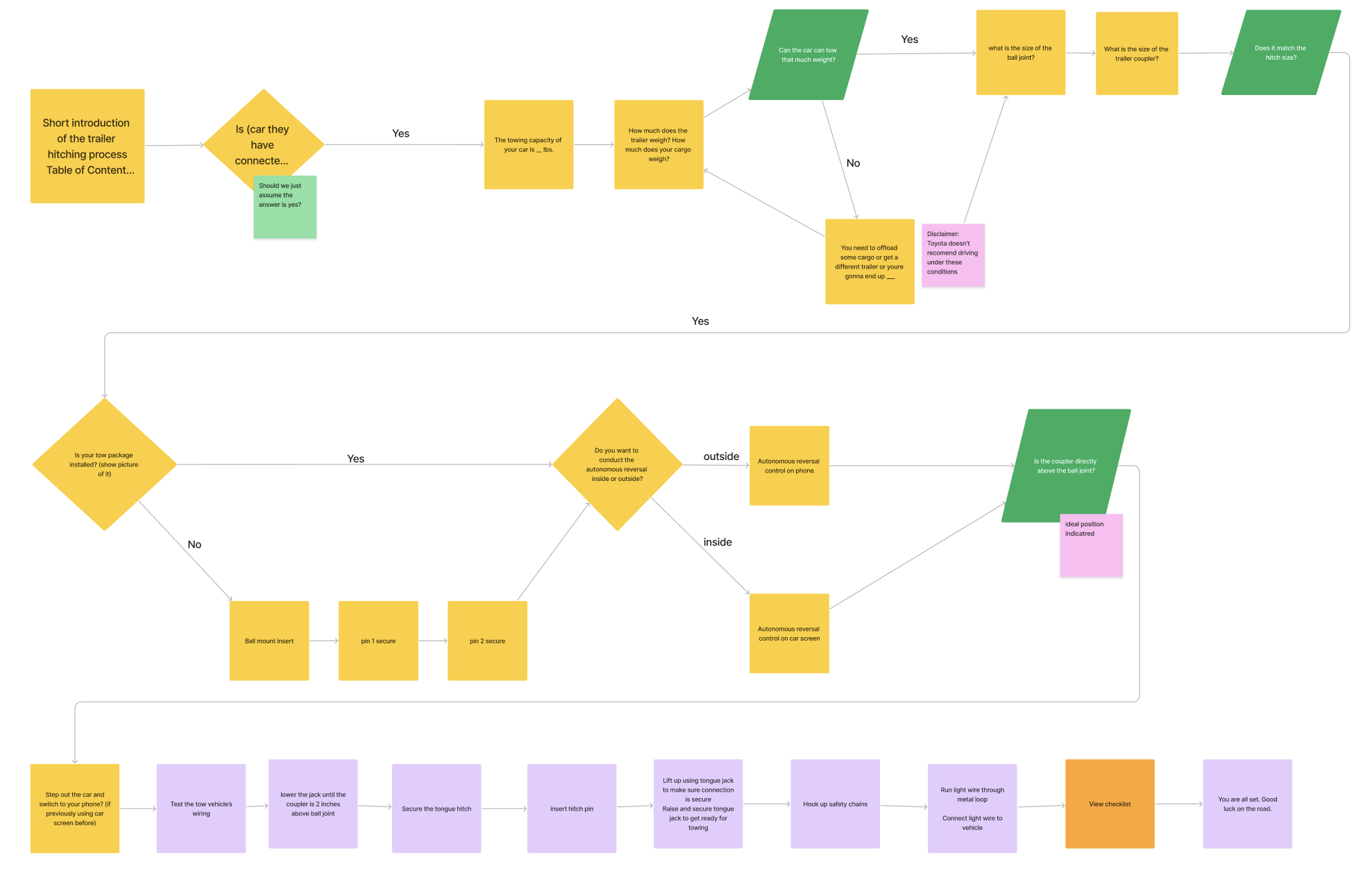
App Flow Diagram

With the user journey in mind, we mapped out the app flow to ensure each step of the experience is supported and seamless.
App Flow Diagram

02 — From Insights to Interfaces

Design

After mapping the app flow, we turned insights into early wireframes. I led the design of key screens — including the safety checklist, tutorial flows, and confirmation dialogs — creating intuitive layouts that simplified hitching procedures and built user confidence across mobile and in-vehicle systems.

"Sometimes I don't even remember to check the safety chains until I've already started driving."

— Beginner Hitcher

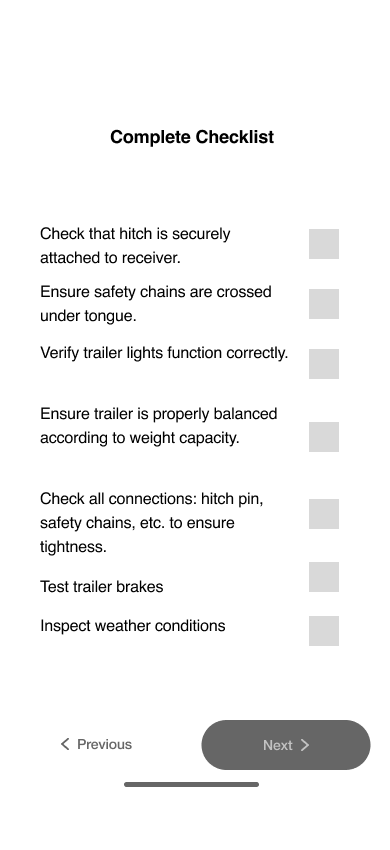
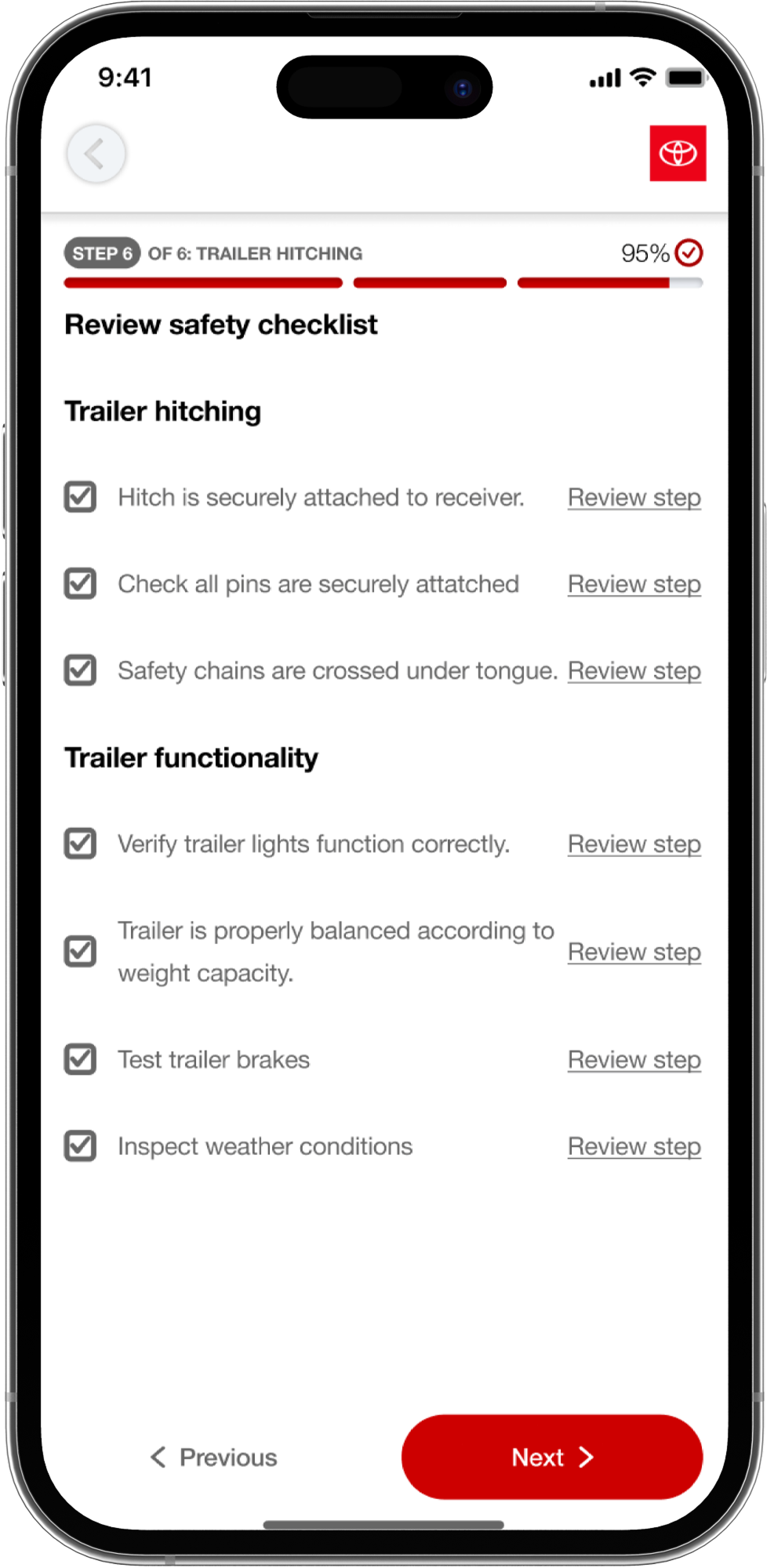
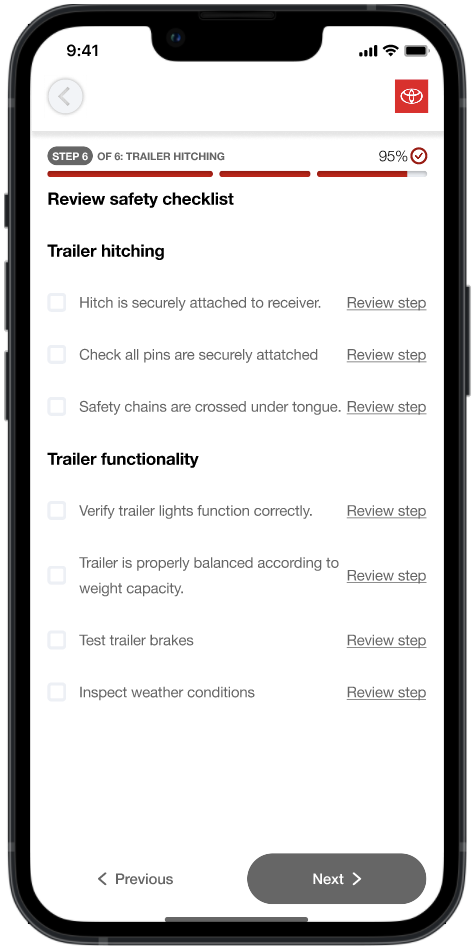
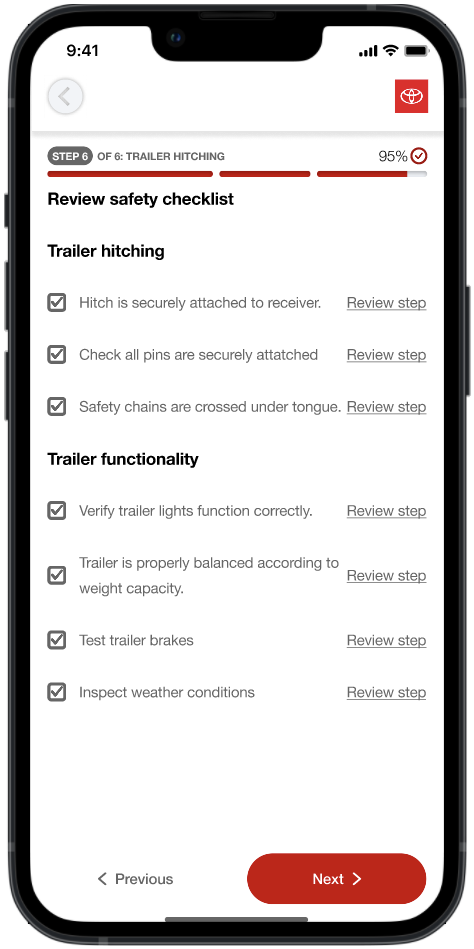
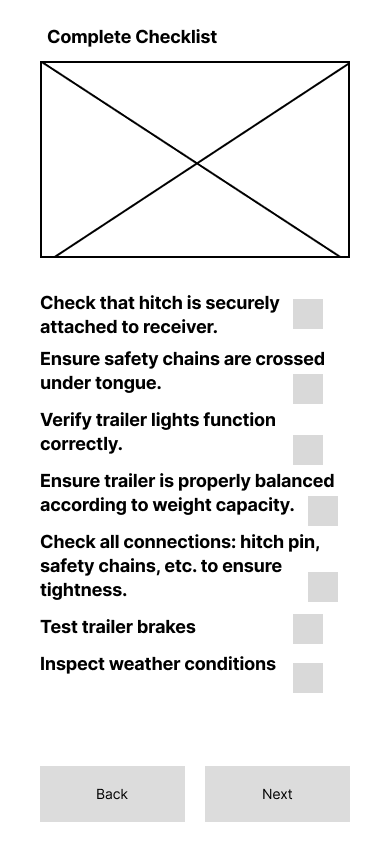
Safety Checklist Feature

Why This Design?

  • Users often forgot critical hitching steps, causing stress or unsafe conditions.
  • Guides users through each step with clear instructions and visual confirmations.
  • Builds confidence and reduces errors, whether on mobile or in-vehicle systems.
  • Ensures consistency and follows safety regulations across all hitching experiences.
  • Addresses a clear market gap — no competitor offered an in-app guided hitching tutorial, making this a potential driver of user adoption and long-term retention.

Low Fidelity

Low-fi safety checklist

Mid Fidelity

Mid-fi safety checklist

Final Design

Final safety checklist mockup

"The breakaway cable hook never felt intuitive. I had to make my own."

— Toyota Engineer

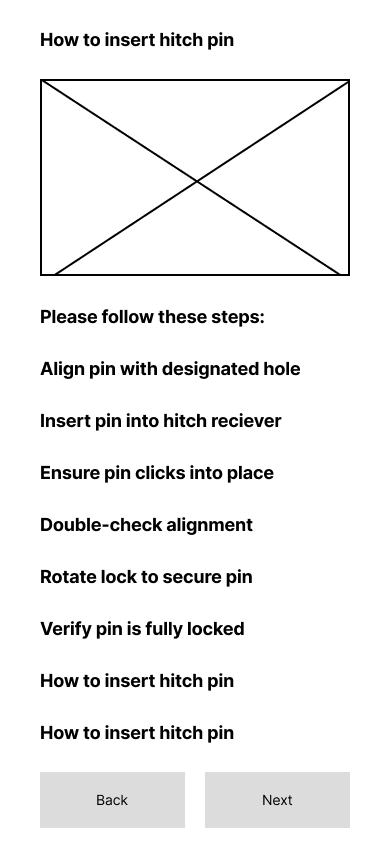
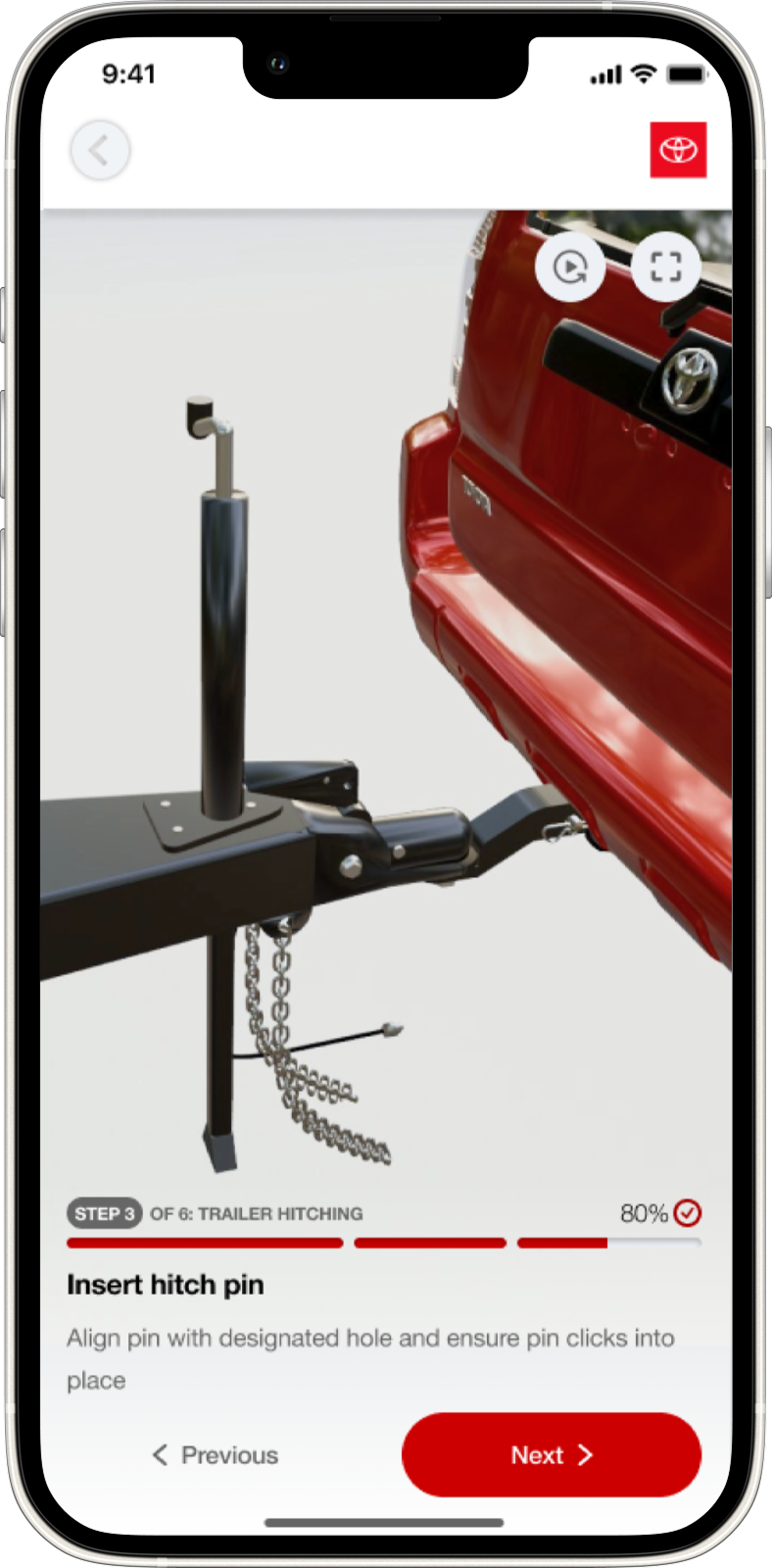
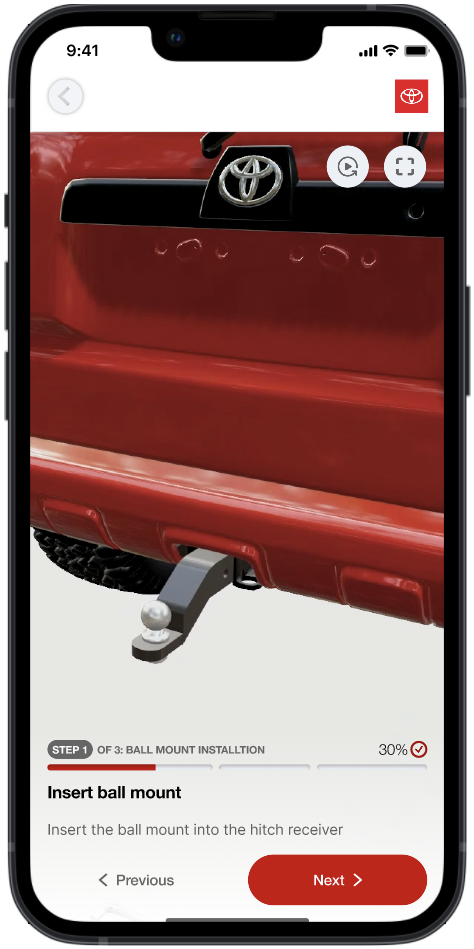
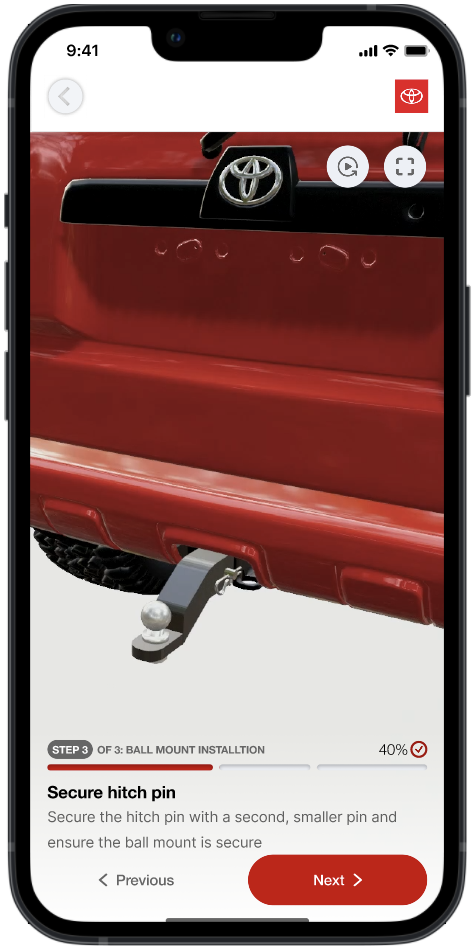
Tutorial Screen Feature

Why This Design?

  • Research showed that some steps in the hitching process weren't intuitive for users, especially beginners.
  • Users wanted clear guidance on which part to interact with and what order to follow.
  • This feedback inspired me to design tutorial screens with images, step indicators, and direct instructions for each action.
  • The tutorial builds confidence, reduces mistakes, and supports both mobile and in-vehicle experiences.

Low Fidelity

Low-fi tutorial screen

Mid Fidelity

Mid-fi tutorial screen

Final Design

Final tutorial screen mockup

"People mess up the ball size all the time — we sell them here because they always forget."

— U-Haul Employee

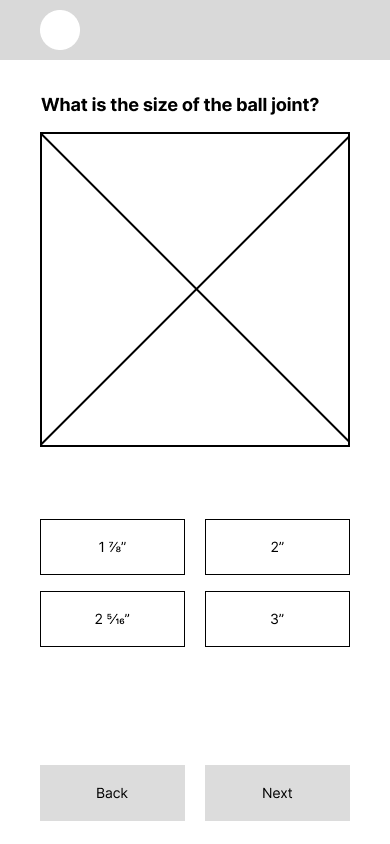
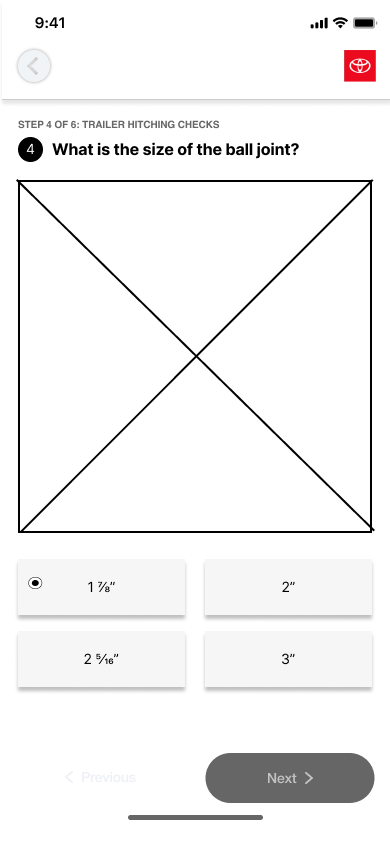
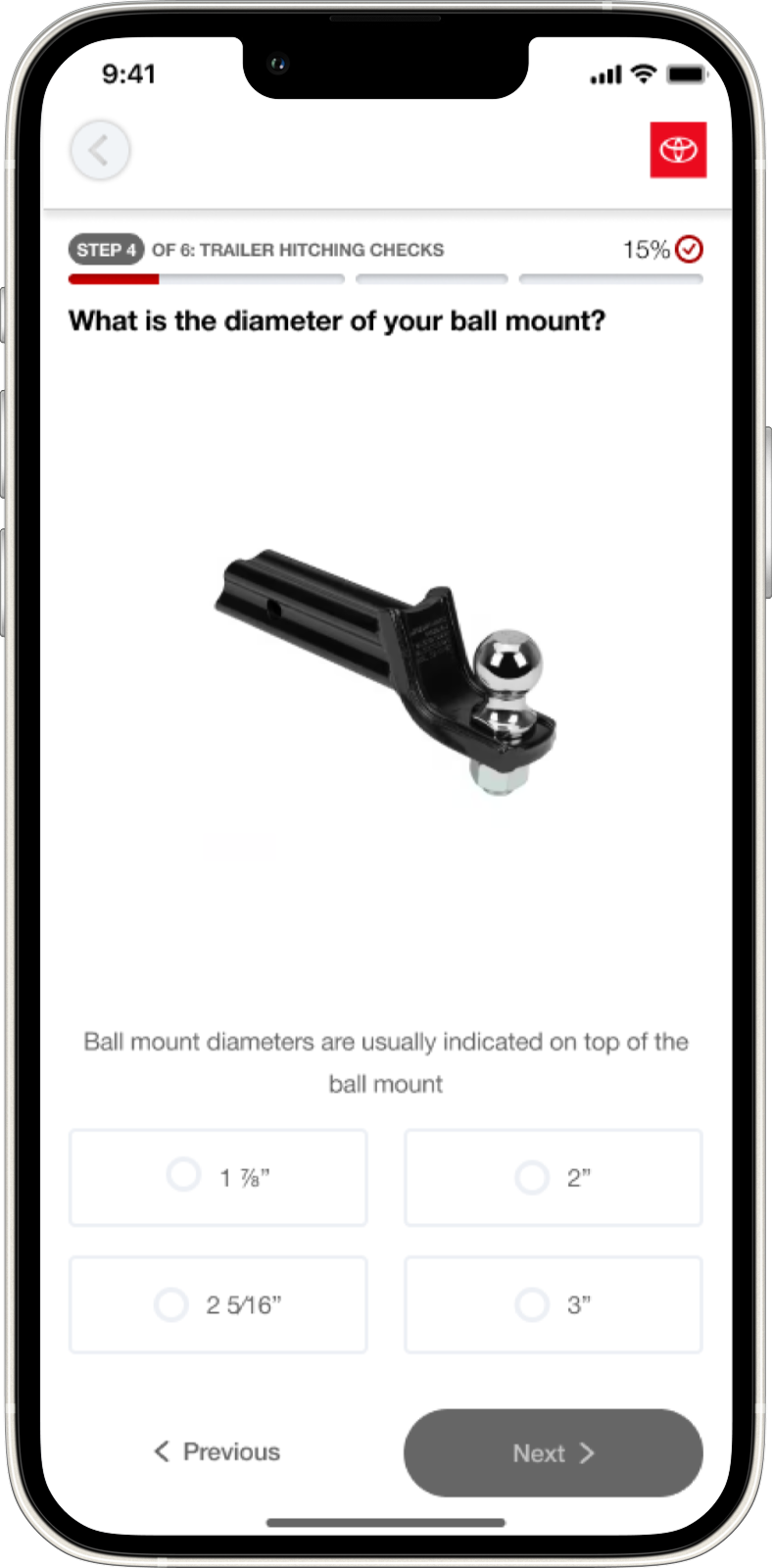
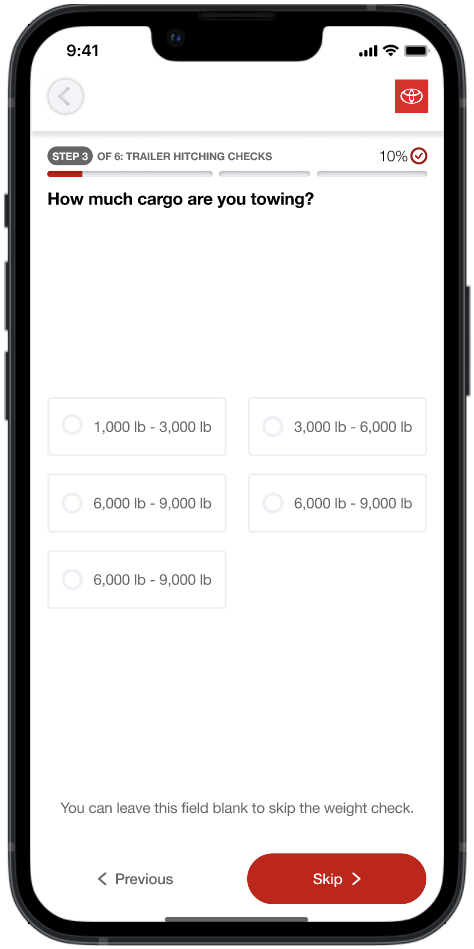
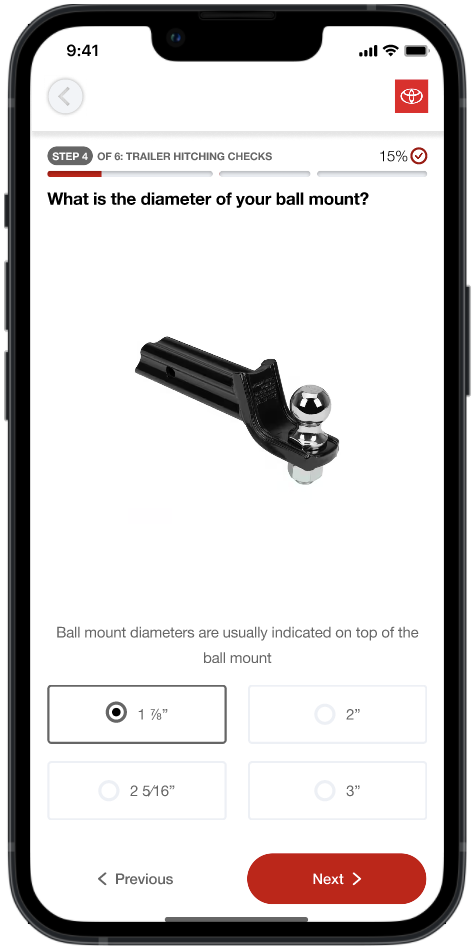
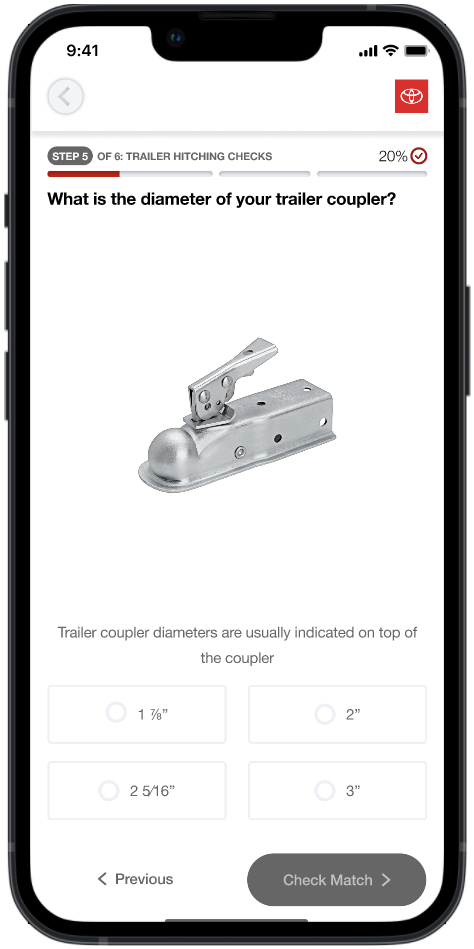
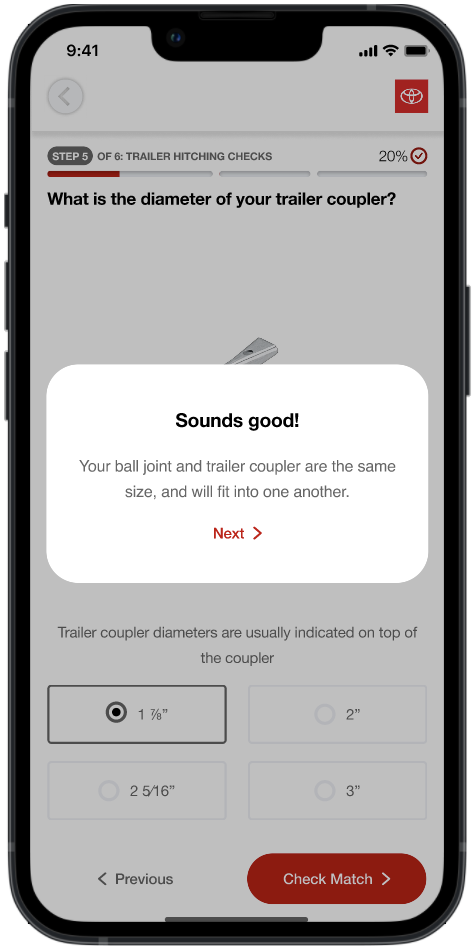
Size Confirmation Feature

Why This Design?

  • Users often felt unsure whether their trailer ball and mount sizes were compatible.
  • Incorrect sizing could cause frustration, setup delays, or even equipment damage.
  • To prevent mismatches, I designed a guided input screen with imagery and dropdowns for size confirmation, cargo weight, and size of trailer coupler.
  • This feature helps beginners double-check their setup, reducing errors and building confidence before hitching.

Low Fidelity

Low-fi size confirmation

Mid Fidelity

Mid-fi size confirmation

Final Design

Final size confirmation mockup

03 — Did It Actually Work?

Testing

After completing our mid-fi prototype, we drove participants to U-Haul locations to test the app in real-world hitching scenarios. This included beginner users, experienced drivers, and a U-Haul employee. After each task, we collected observational notes and ran post-task surveys to capture usability feedback, satisfaction scores, and improvement suggestions.

What Worked

Tutorial Videos Praised

Users found the tutorial videos made hitching steps significantly clearer and easier to follow — especially beginners who had never hitched before.

Clean & Intuitive UX

The overall layout was described as easy to navigate, with a logical flow that matched users' mental models of the hitching process.

What Didn't Work & How We Fixed It

Issue

Low Text Contrast

Text was hard to read in certain lighting conditions, especially outdoors.

Fix

Improved Readability

Adjusted UI with dark backgrounds, higher-contrast text, and darker button styles.

Issue

Tutorial Button Confusion

Users were unsure whether to hold or swipe the tutorial button to advance.

Fix

Clearer Visual Cues

Simplified the interaction with explicit tap affordances and removed ambiguous gestures.

Issue

Checklist Too Text-Heavy

The safety checklist overwhelmed users with long paragraphs of instructions.

Fix

Bite-Sized Steps

Broke content into short, actionable steps with checkboxes and stronger visual hierarchy.

Issue

Progress Bar Too Small

Users couldn't easily track where they were in the hitching process.

Fix

Larger Step Indicators

Redesigned with larger, more visible step indicators that clearly showed progress.

Suggestion

Replay Button Requested

Users wanted the ability to revisit tutorial instructions at their own pace.

Added

Replay Functionality

Implemented a replay button so users could rewatch any tutorial step on demand.

04 — The Polished Product

Final Solution

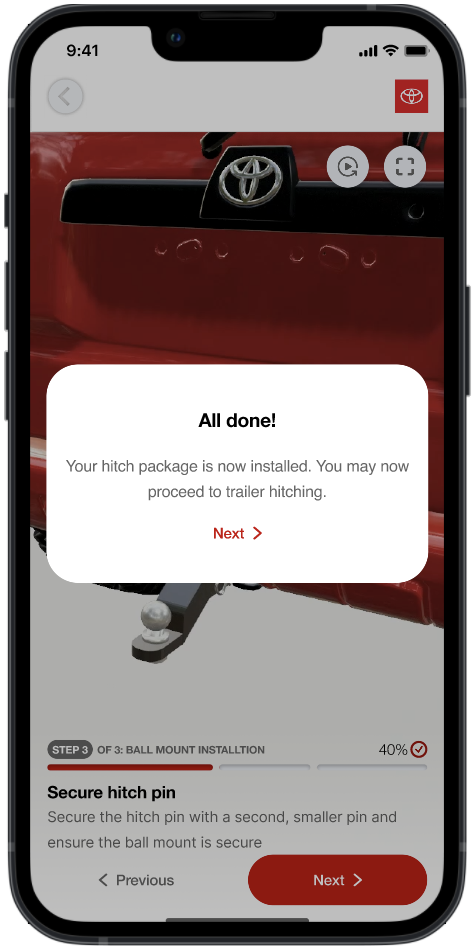
After rounds of testing and iteration, here are the final high-fidelity designs across both platforms — mobile and in-vehicle infotainment. Every screen was refined based on real user feedback from our U-Haul testing sessions.

Mobile Experience

Mobile screen
Mobile screen
Mobile screen
Mobile screen
Mobile screen
Mobile screen
Mobile screen
Mobile screen
Mobile screen
Mobile screen

In-Vehicle Infotainment Experience

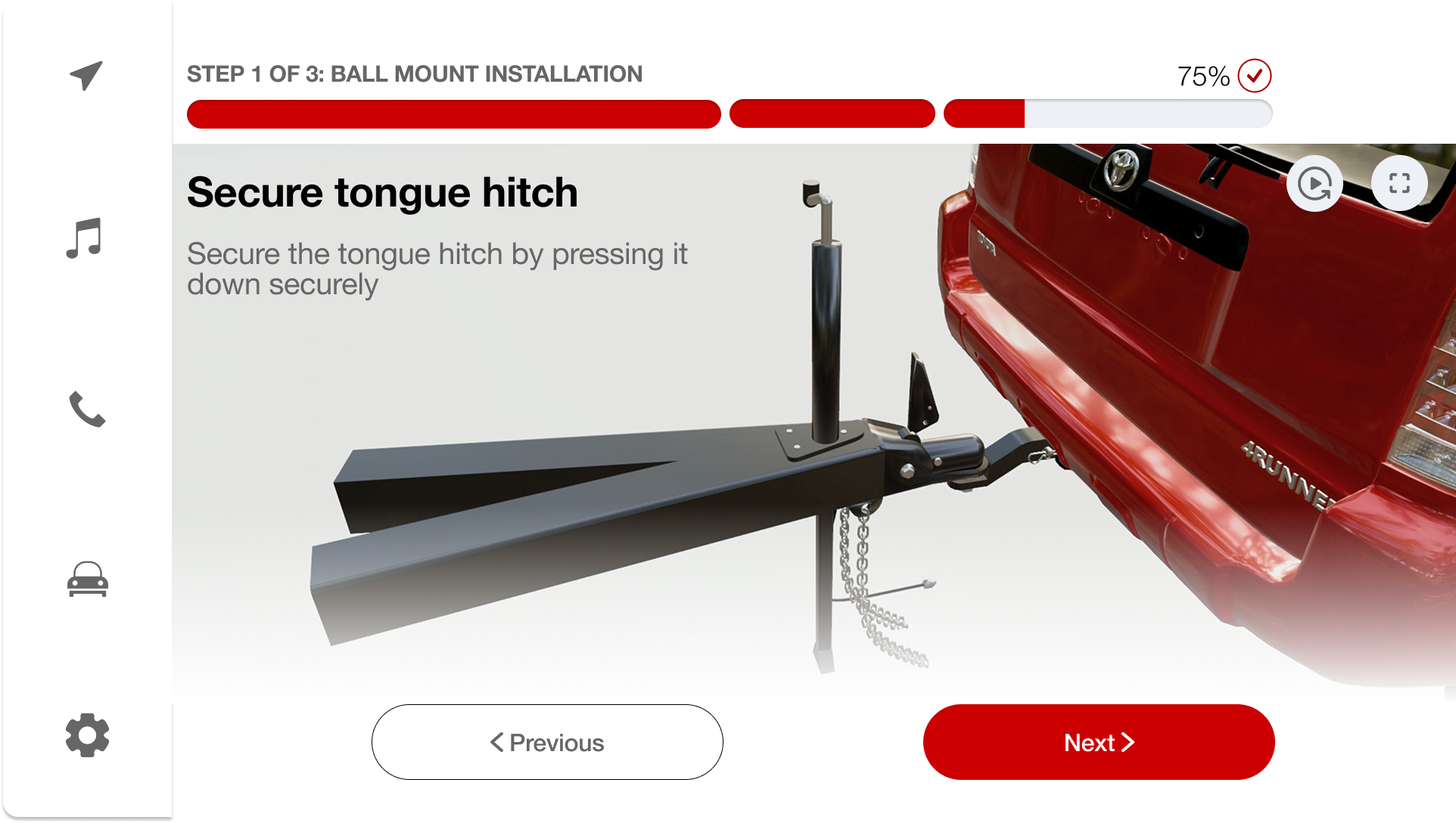
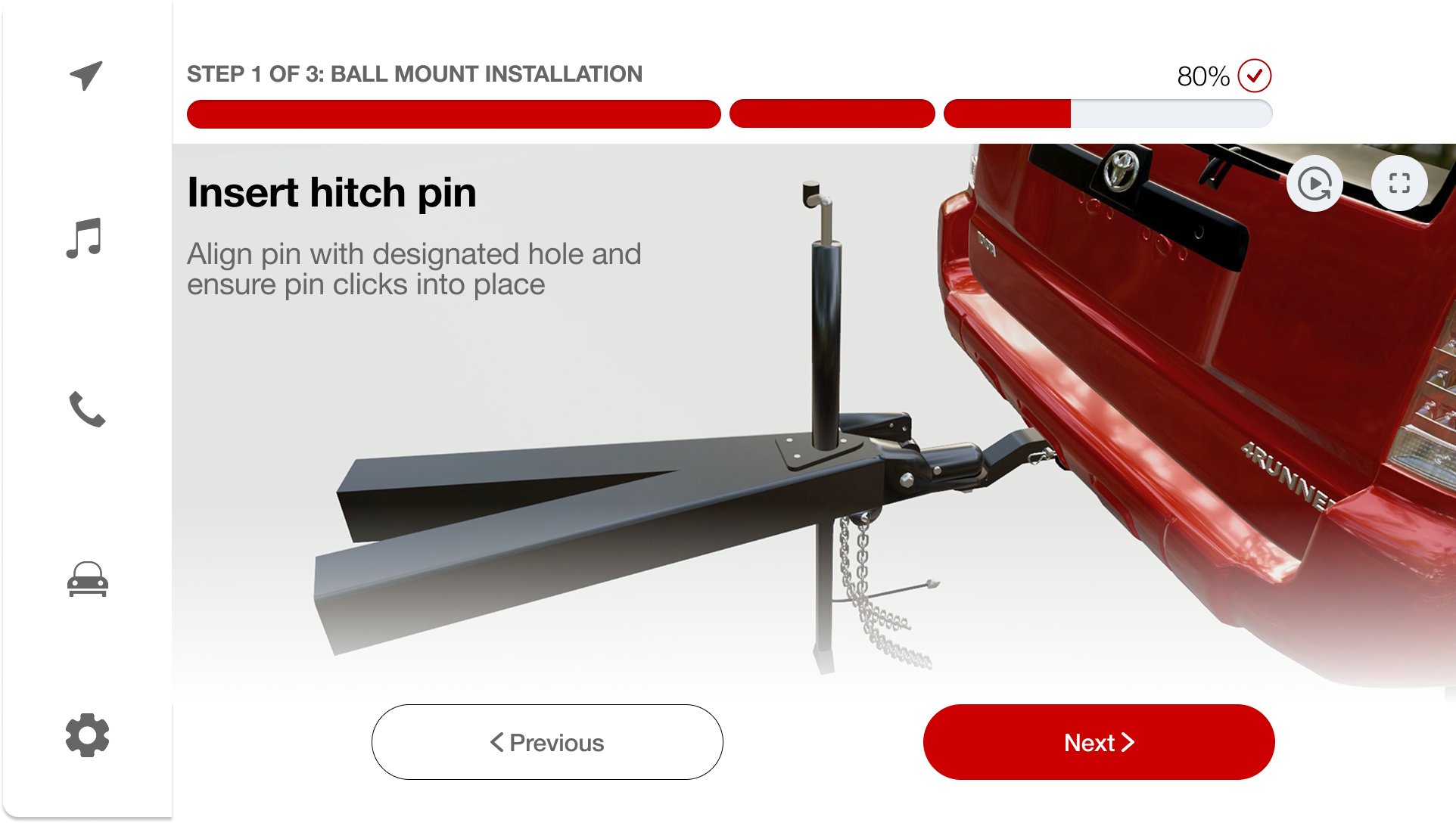
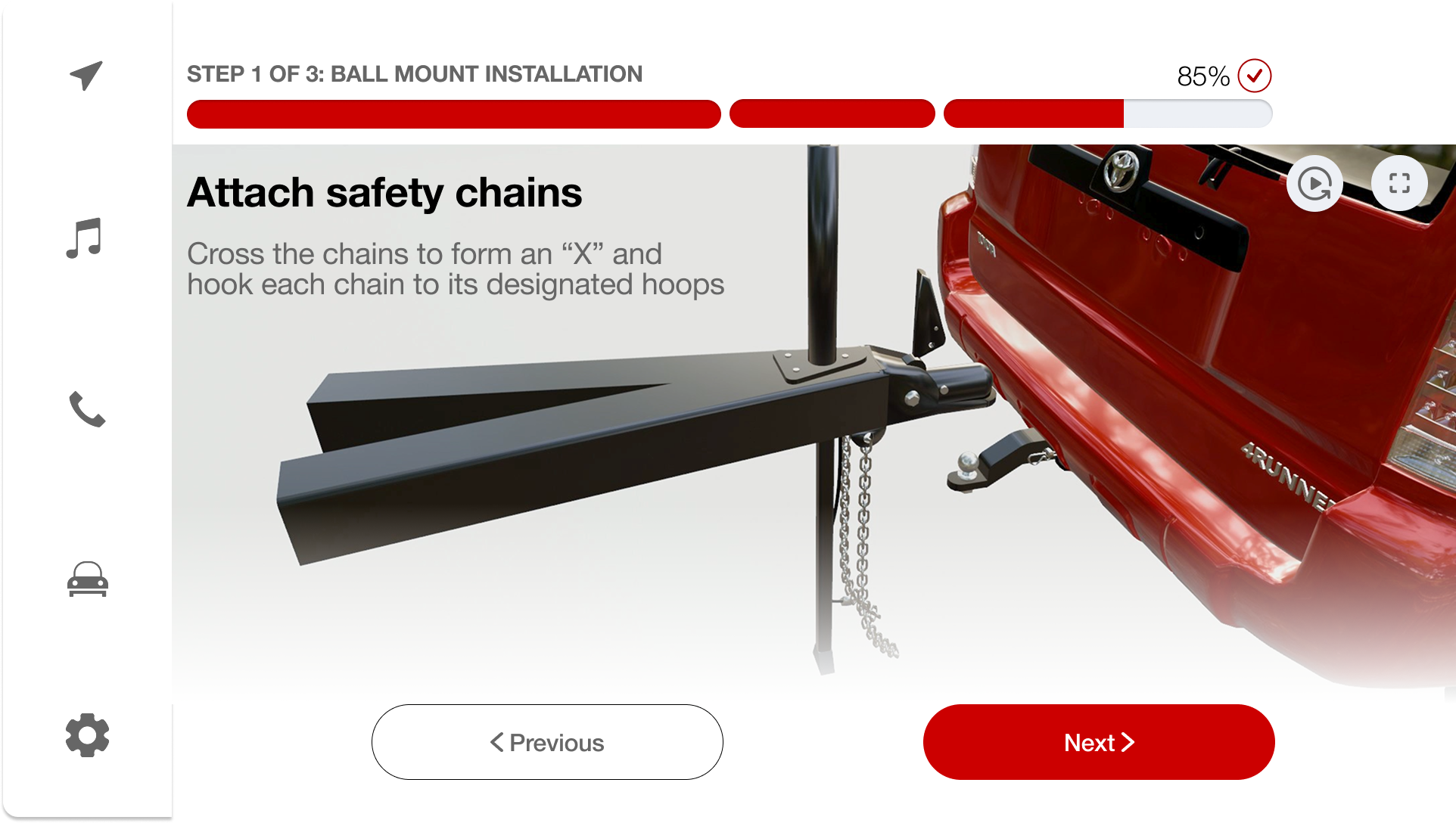
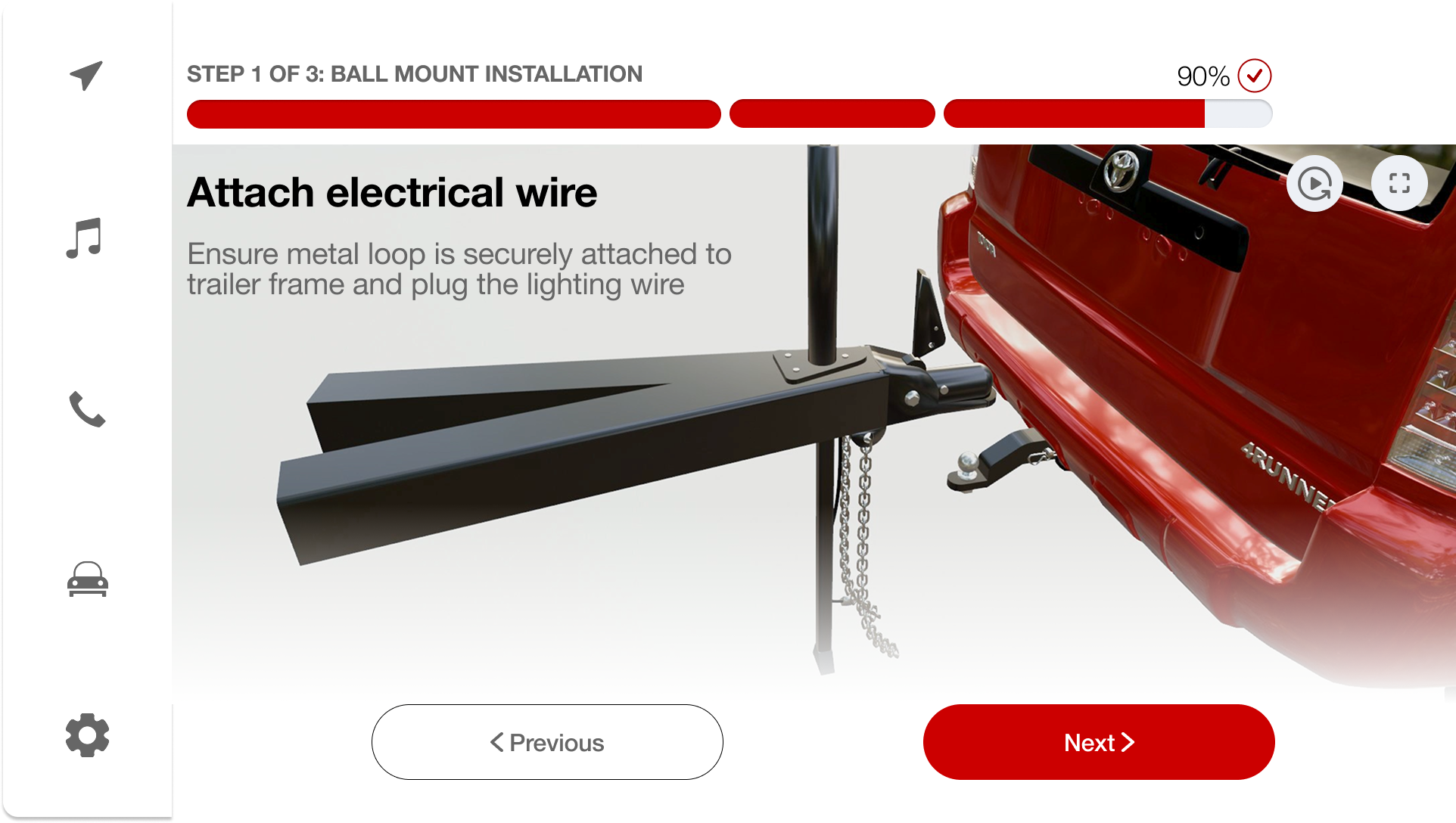
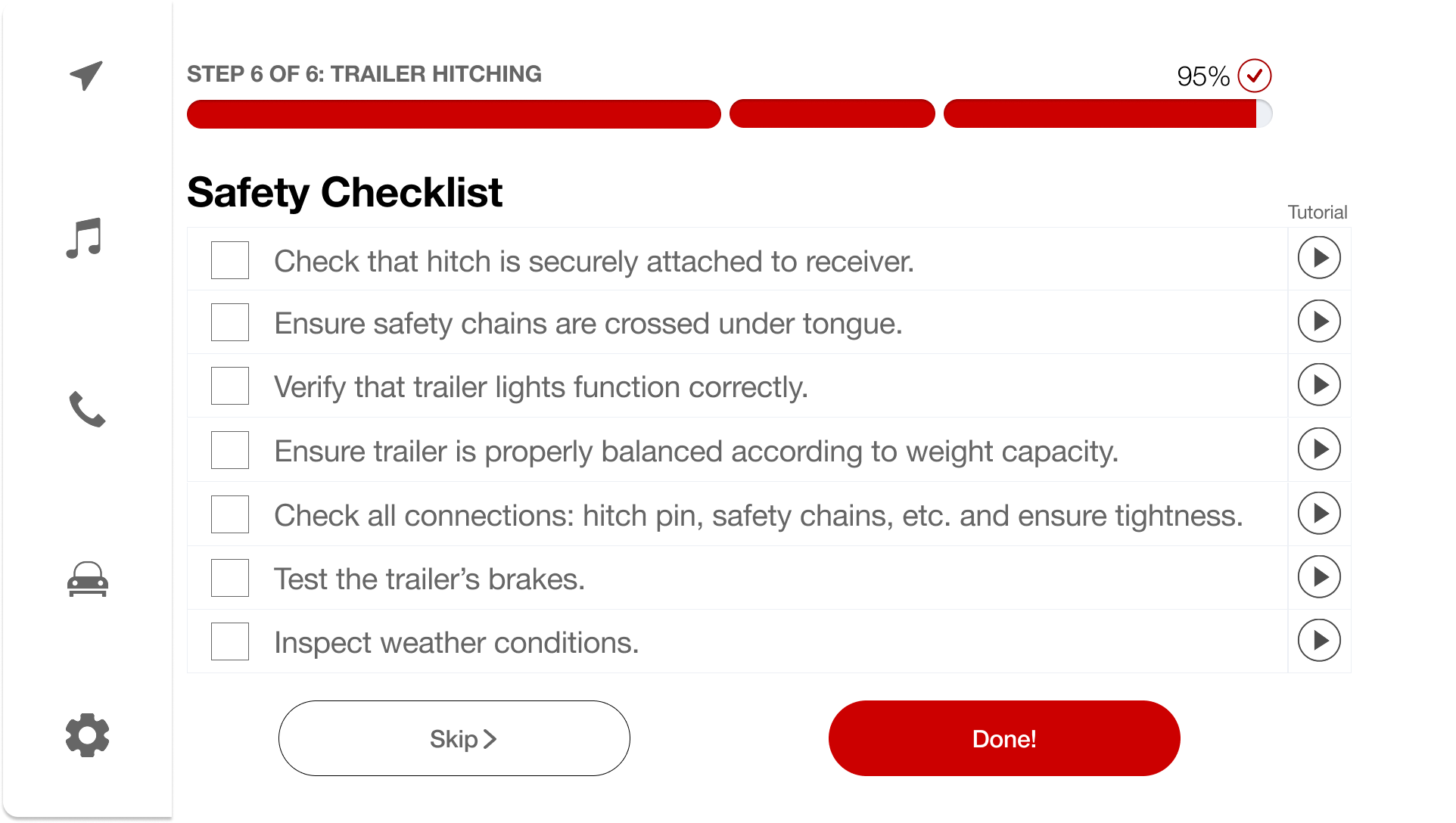
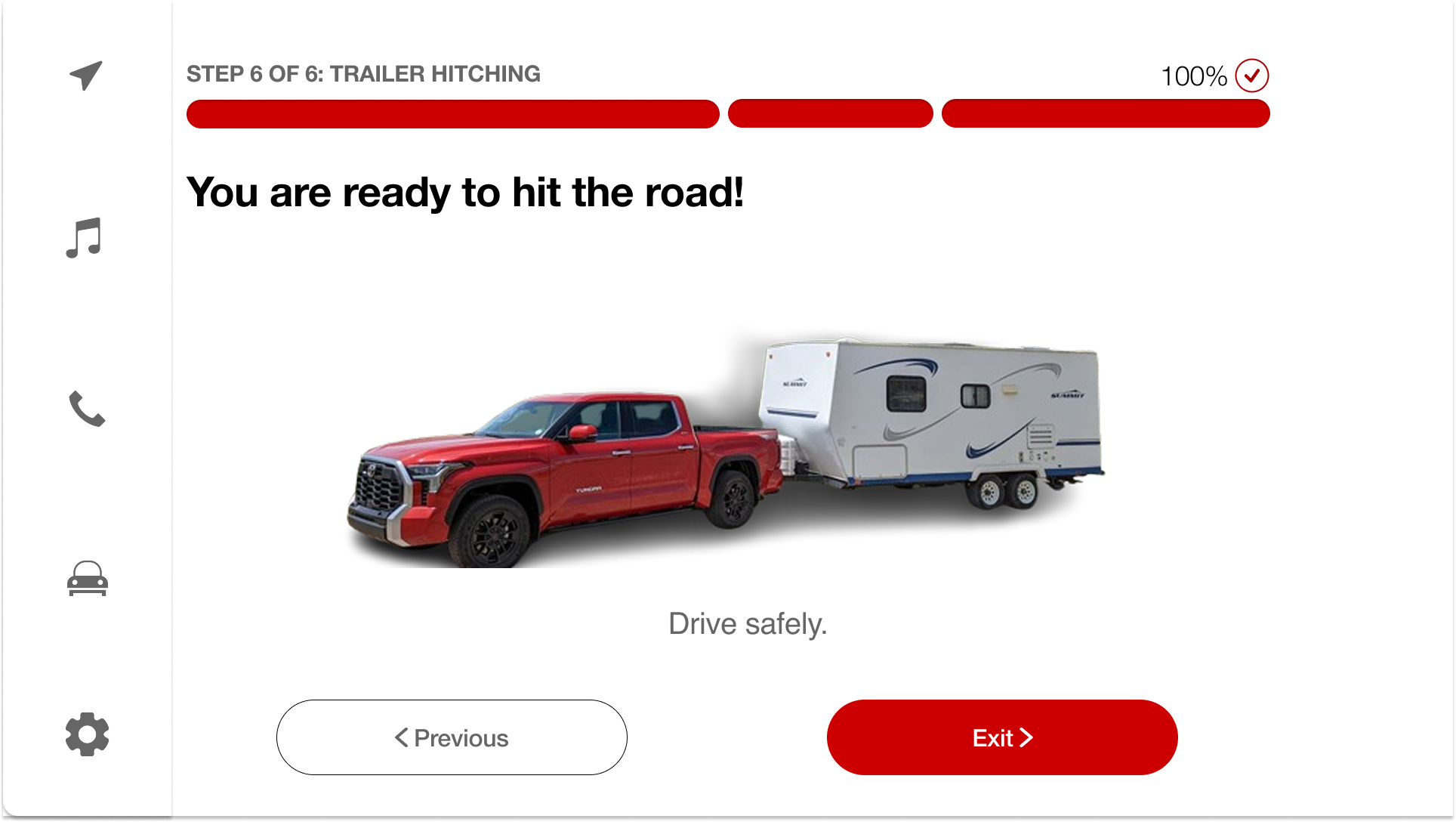
The same hitching flow adapted for Toyota's in-vehicle multimedia display — designed for landscape orientation with larger touch targets and high-visibility text for use from the driver's seat.

Infotainment screen
Infotainment screen
Infotainment screen
Infotainment screen
Infotainment screen
Infotainment screen

05 — The Curveballs

But, WAIT!

Not everything landed on the first try — and that's exactly what made this project stronger. Here are two major curveballs we navigated, and how we turned them into wins.

Honest Reflection

We adapted under pressure — and came out stronger.

Problem

Last-Minute Infotainment Screens

We had been designing for mobile screens only — until the leadership team informed us they also wanted in-vehicle multimedia (infotainment) screens. This came with almost no additional time on the clock.

How We Fixed It

Mobile Screens as Sketches

I proposed leveraging our existing mobile screens as visual sketches for the infotainment interface. This allowed us to quickly adapt layouts, interactions, and visual elements to the mid-fi automotive screens without starting from scratch.

Problem

Unrealistic User Testing Setup

We initially bought a model toy trailer to test our app with users. The results were inconclusive — pressing buttons while looking at a miniature trailer didn't capture the real stress, scale, or complexity of hitching. I raised this concern with the team.

How We Fixed It

Real Trailer, Real Results

A teammate's dad had a trailer and full hitching equipment. We organized real-world testing sessions where users hitched an actual trailer while using the app. This was a game-changer — beginners using the app completed the hitching process with significantly fewer missed steps and errors compared to working from memory alone. It validated that our guided approach genuinely made the process safer and more intuitive.

06 — The Payoff

Outcomes & What I Learned

We won 1st place.

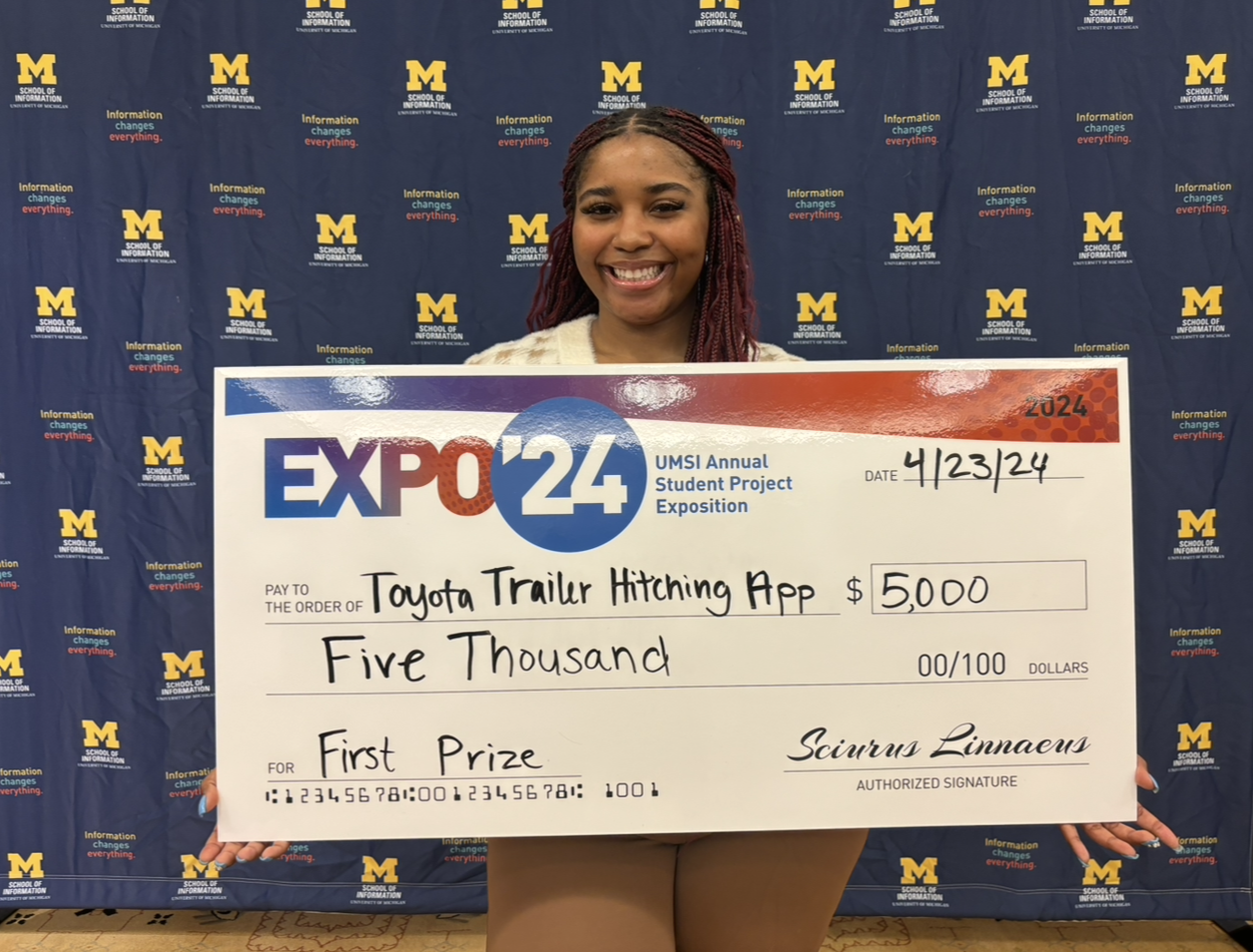
Our project earned 1st place at the UMSI Exposition, beating 144 other teams and winning $1,250 each. Beyond the award, we presented the full research and prototype to Toyota's cross-functional team — marketing, software engineering, UX, and product leadership — at their Ann Arbor headquarters. The response was overwhelmingly positive, and the final deliverable was handed off for consideration in Toyota's upcoming infotainment roadmap.

Press Coverage

UMSI News

More Than a Class Project: UMSI Expo Features Student Innovations for Social Impact

si.umich.edu

First place winning team

Key Takeaways

01

Iterating with Real Feedback

Every round of testing — from toy trailers to real U-Haul trips — directly shaped the screens and flows we finalized. The best designs came from listening, not assuming.

02

Balancing Needs with Constraints

Designing for both mobile and in-vehicle systems under tight deadlines taught me to prioritize effectively and find creative shortcuts without cutting corners on quality.

03

Collaboration Matters

Dividing responsibilities while maintaining a cohesive design vision strengthened both our process and the final product. No one succeeds alone.

04

Designing with Engineering in Mind

Working alongside Toyota's software team taught me to design with technical feasibility at the forefront. I learned to simplify interactions and avoid overly complex flows that would be difficult to implement — a skill that made the final handoff smoother and the product more buildable.

05

Storytelling Is Critical in UX

Presenting research insights, design rationale, and outcomes clearly helped stakeholders and judges understand the value of our solution — and ultimately won us 1st place.

Next Project

Meowster

A social platform for cat owners to connect, share, and access expert advice.